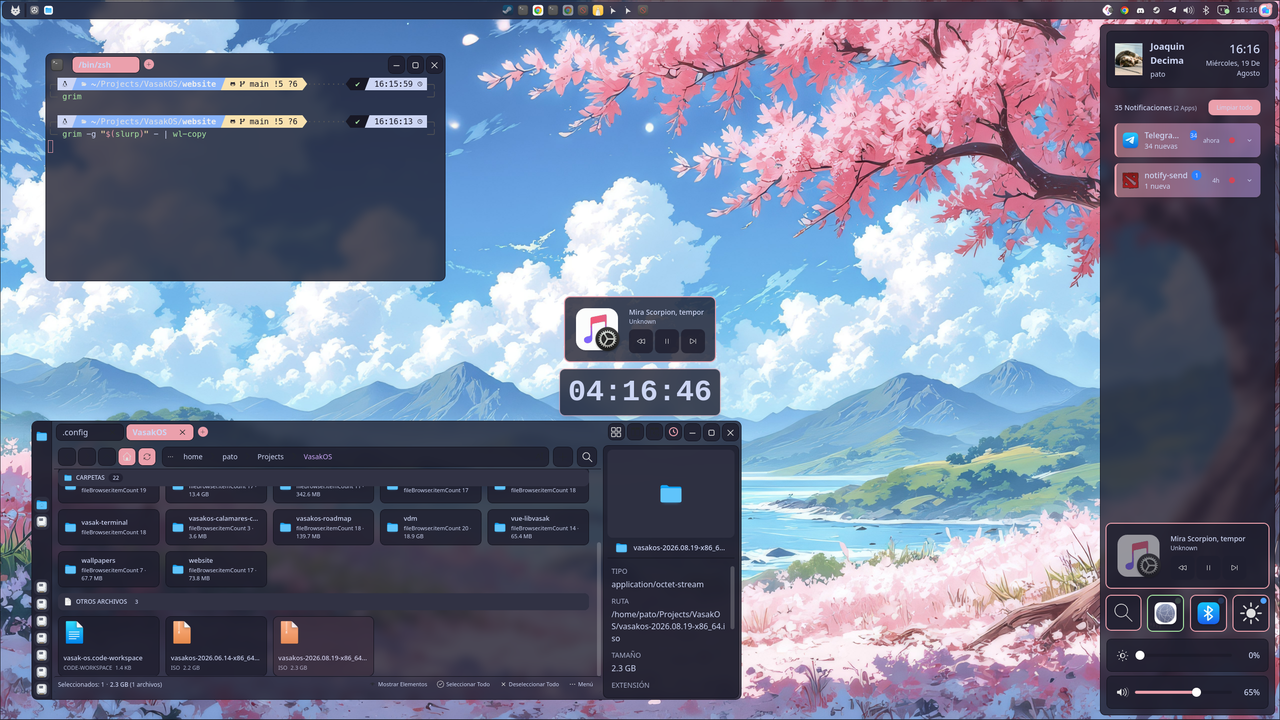
VasakOS Alpha 4
Alpha 4 is here, and it is the biggest update we have published so far. It is not a list of touch-ups: a good part of the desktop stopped depending on borrowed pieces from other environments and got its own —keyring, permissions, notifications, login screen and lock screen— all drawn with the same colors, the same corner radius and the same typeface you chose.
It is still Alpha: it installs, you use it every day, and you will find incomplete things. Reports are welcome and they are, literally, where a good part of this list came from.
The first thing you will notice#
Notifications now do what they promise. Tapping a notification that offers to open something —a message, a download, a page— opens it. Before, the card simply went away: the action existed, it travelled through the system and nobody ran it.
The system tray really works now. The icons show up, respond to a click, have their menu on right click, and they look sharp with the right colors. Several applications simply were not showing their icon or would not open their menu.
The desktop is translated and starts in the system language, just like the terminal, the file manager, the gallery and Settings. The application menu shows each program with its name in your language, and the search now finds things when you type in capital letters.
Several monitors. Connecting, disconnecting or switching a monitor rebuilds the desktops and the panel without restarting the session, and the primary monitor is asked of the system instead of being guessed. The login screen works with several monitors too.
The panel stopped lying: the battery indicator updates, the network icon shows Wi-Fi when you are on Wi-Fi, the network list opens in full screen, and the music controls respond to the player.
You can install it now#
The ISO ships Calamares, so VasakOS installs persistently onto the disk. The keyboard you choose during the installation now reaches the desktop —before, the session always started on a US keyboard— and session startup is handled by systemd, which is what lets the desktop services come up and shut down in an orderly way.
Your session, from start to finish#
- The lock screen is the same as the login screen, with your wallpaper behind it. Before, locking with Super+L gave a grey screen different from the one that appeared when coming back from suspend.
- The chosen session is remembered per account, and each account shows its real name instead of “User”.
- The keyring opens by itself at login. Your login password unlocks it through PAM, without asking you for anything twice.
- Logging out closes the whole session, without leaving processes running.
New applications#
- Permissions. Applications now ask you for permission before using your online accounts, with a card that belongs to the desktop and is not the generic one from the portal. What you decide stays out of reach of the programs that run as you.
- Keyring. VasakOS has its own encrypted keyring (AES-256-GCM/Argon2id) that speaks the standard Linux protocol, so applications that store passwords work without installing the GNOME one or the KDE one. It unlocks at login, and if something finds it locked, the system asks you for it with a dialog.
- Online accounts. A service that stores the tokens of your accounts in the keyring and hands them over one at a time, asking you first. No application keeps a copy.
- Android phone. Plug the phone in and its apps open as desktop windows, with their own menu in the panel and a status card in the notification center. The phone is detected when you connect it, and while there is none the service consumes nothing.
- Accents while holding a key. Like on macOS: hold down the key and á, à, â, ä… appear to choose with a number or with the mouse. It types whichever variant you pick without depending on your keyboard layout having it, so it works the same on a Latin American keyboard as on an English one.
- Notifications. The system notification server is our own: it keeps the history, groups by application and shows the cards with the desktop theme.
Settings grew a lot#
New sections: Users (create, delete, rename, passwords and administrator permissions), Date and time, Brightness and night light, Monitors, Desktops, Windows, Effects, Autostart, Language and keyboard, Phones, and Privacy and security.
Two changes worth calling out on their own:
- You can now change the keyboard layout. You could not before, and you could not touch anything living in the Wayfire configuration either: a single invalid byte in that file made the application refuse to read it at all. On top of that, the variants that were offered were those of all 99 layouts at once, so it was easy to pick one that does not exist for your language and be left with no change whatsoever, without any warning.
- Every Privacy toggle says whether it really blocks anything. A control that looks like protection and is not is worse than having no control at all.
And the idle lock is now configured from Power: minutes until lock, screen blanking and lock on suspend. Before it lived hidden in a line of a text file.
The system applications#
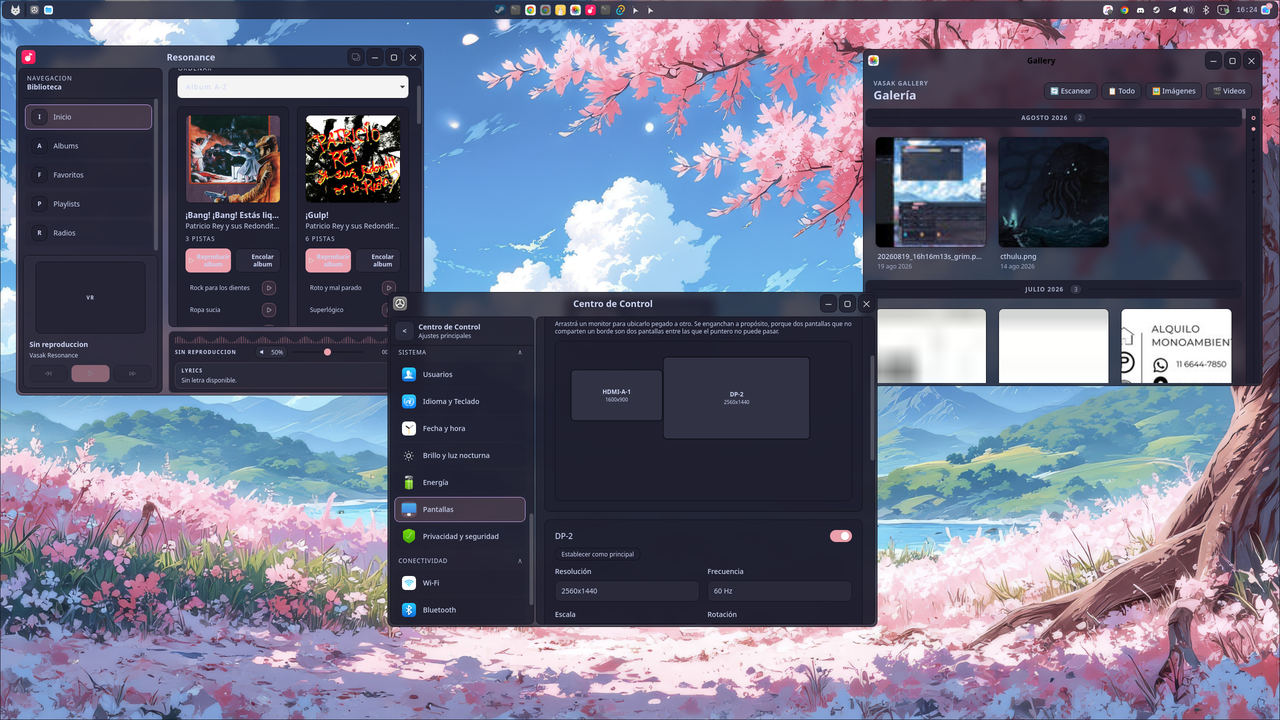
- Files. Copy, move and delete show progress and can be cancelled —even in the middle of a large folder—, there is a task center in the top bar, Ctrl+Z undoes copy, move, rename, create, compress and send to trash, and you can compress a selection into zip, tar.gz, tar.xz, tar.bz2, tar or 7z. Drag and drop is now Wayfire’s native one.
- Terminal. Overlay mode, font size control, and the unexpected closes when receiving accents or emoji are gone.
- Music. Playlists, controls for the radio stations, and playing a long album no longer reserves over 1 GB of memory: it is now streamed as it plays.
- Gallery. Photos are sorted by their real capture date (EXIF), not by the file date, which changes when they are copied.
SSH keys#
If you use SSH keys with a passphrase, you now type it once: the system starts the agent at login and stores the passphrase in the keyring, which already unlocks with your login. Neither git push nor any graphical application asks you for it again.
Security#
- Authentication for administrative tasks was being done in an unprivileged process; now whoever should do it does it.
- The encrypted channel between the applications and the keyring was badly built and was rebuilt.
- The password of SMB connections travelled on the command line, visible to any user on the machine. sshfs connections did not verify the server key.
- The remote control of the music player listened without authentication.
- After three wrong passwords, the keyring stops answering for a while.
- Every package is verified before being published: it is checked that it runs on any 64-bit processor, and not only on the machine that built it.
Lighter#
The desktop consumes a lot less than it did in Alpha 3. Among other things: the menu opens instantly, the volume slider stopped freezing the panel, the terminal output is no longer polled 60 times per second, the clock wakes up once a minute, the logs stopped being written to disk line by line, and the compositor plugins you do not use can be turned off. The website’s home page, by the way, went from 3.9 MB to about 200 KB.
Where do I get it?#
In the downloads area . The full detail, change by change and package by package, is in the official changelog .
Where do I report bugs?#
In the Telegram group or directly in the GitHub repositories. Saying what does not work, on which machine and what you expected to happen is the most concrete way to push the project forward: almost everything we fixed in this cycle came from there.